


Paragon can handle any business’s unique needs. Paragon’s infinite flexibility is as a result of a powerful combination of three innovative concepts – attributes, associations and rules.


Paragon is flexible thanks to some pretty cool features
- Color: Armour Grey
- Material: Leather
- Size: 10.5
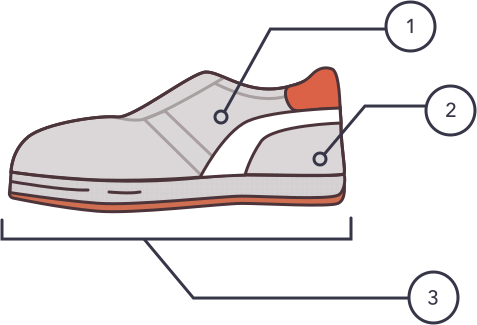
Attributes
Just like how someone might have blue eyes or wear red shirts, different information in Paragon can be classified in different ways. In Paragon, we use attributes to classify information. You can create as many attributes as you want and apply them to anything in the system. It’s sort of like tagging things with characteristics so that information can be found easily. For example, a pair of shoes might have a color attributed to it. It may also have a style and size attributed to it. You can tag it (and anything else in Paragon) with as many or as few attributes as you’d like, all of which you decide. And, if you decide you want to change the attribute, that’s no problem at all.
Attributes are then used to make associations…
Associations
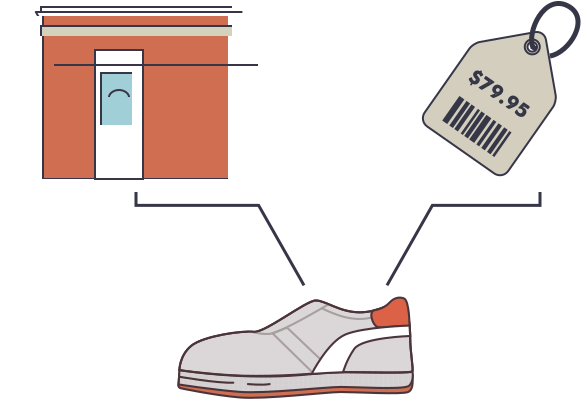
Associations tell Paragon how and what data links together. Basically, associations allow you to take different information and describe the relationships between that information in Paragon. The description uses, you guessed it, attributes.
What does this look like in practice? You can define a relationship so that size 10.5 Armour Grey shoes only get shipped to a specific store for a specific price from the 1st of the month until the 15th of the month, for example.
Rules
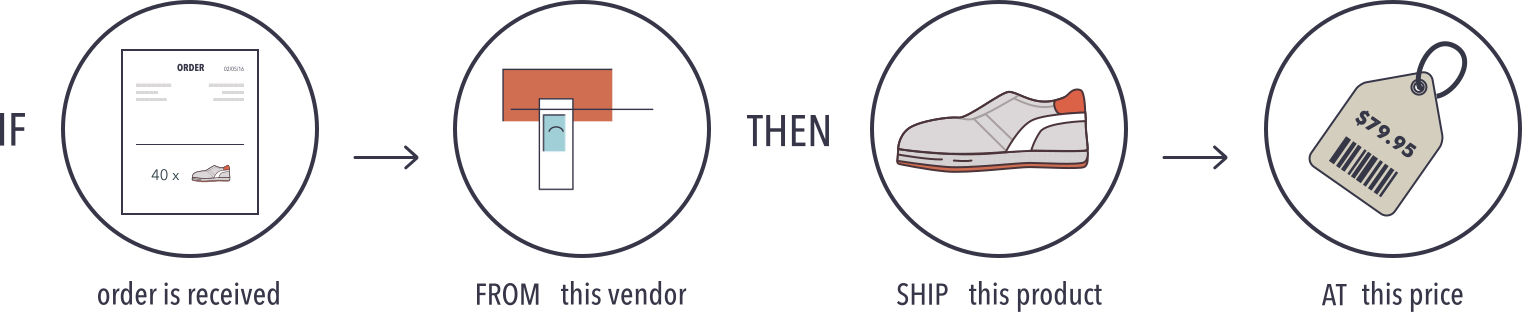
Rules allow you to change the behavior of the software to suit your specific needs without having to change the software itself. In other words, without changing any code, you can make the software understand and respond to your unique requirements.
Our rules function enables you to customize any part of your business workflow. Your rules can be as simple as automatically issuing an invoice once it is saved. Or, they can be more complex. For example, you can write a rule that says if a specific customer orders more than 20 Armour Grey shoes in the month of September, you also automatically ship a matching hat.
You can also create a rule that joins two rules together to create business workflows. You can create rules that can be used to set data validations. And, you can apply rules to list filtering as well. Having the power to create your own set of rules is the keystone to making Paragon infinitely flexible and perfectly suited to your business needs.
How does this help?

Your business is always changing and you can’t possibly predict what you’ll need tomorrow or next year. So, we built Paragon in such a way that it can handle any number of business process possibilities. But we’re not talking about traditional customizations where you take your core ERP and glue something here, add a little piece there and then nail something on top to make it make it work for your unique needs. We’re talking about something entirely different.
In the traditional customization model...
You end up with an ERP system that is completely inflexible. But while it might seem perfectly suited to your needs on day one, as your business changes and grows, your system won’t. You end up being stuck in a box. Which means that you’re forced to mold your processes to fit what the system can handle. Or, you need to bolt on additional pieces that account for the changes but only end up making your system more complicated and frustrating for everyone who has to use or service it.


With Paragon...
Instead of changing your business to fit the system, you can run your business the way you want to and Paragon will adapt accordingly. And, it does so without any customizations at all. Paragon can handle any business logic without even the tiniest change to the core solution. It just need to be configured, which is as simple as turning switches on and off to set rules (which can be easily changed).